Over time, television screens inevitably collect dust, fingerprints, and unsightly smudges. While it may be tempting to wipe them down quickly with whatever is at hand, proper care is essential to avoid permanent damage. The goal of this cleaning routine is to leave your screen pristine while ensuring the method is safe for your electronics.
Below is a professional, step-by-step guide to the best method for maintaining your TV screen.
Supplies Needed
- Microfiber towels: You will need at least two: one for wet cleaning and one for drying.
- Duster: A handheld duster or an additional dry microfiber cloth.
- Water: Distilled water is recommended, especially if you live in an area with hard water.
- Dish soap: Mild liquid dish soap (only required for greasy spots).
- Spray bottle: For applying the cleaning solution to your cloth (optional).
Step-by-Step Instructions
1. Preparation
Before you begin, always unplug the television. This ensures safety and allows you to see dust and smudges more clearly against the black screen.
2. Remove Surface Dust
Start by dusting the entire screen using a handheld duster or a clean, dry microfiber towel. Removing this initial layer of dust is crucial because it makes the subsequent cleaning steps significantly easier.
Note: If your TV is not heavily soiled, a simple pass with a dry microfiber towel may be enough to remove dust and light fingerprints without requiring liquid.
3. The Two-Towel System
For a deeper clean, utilize a simple two-towel system: one damp towel to clean and one dry towel to buff.
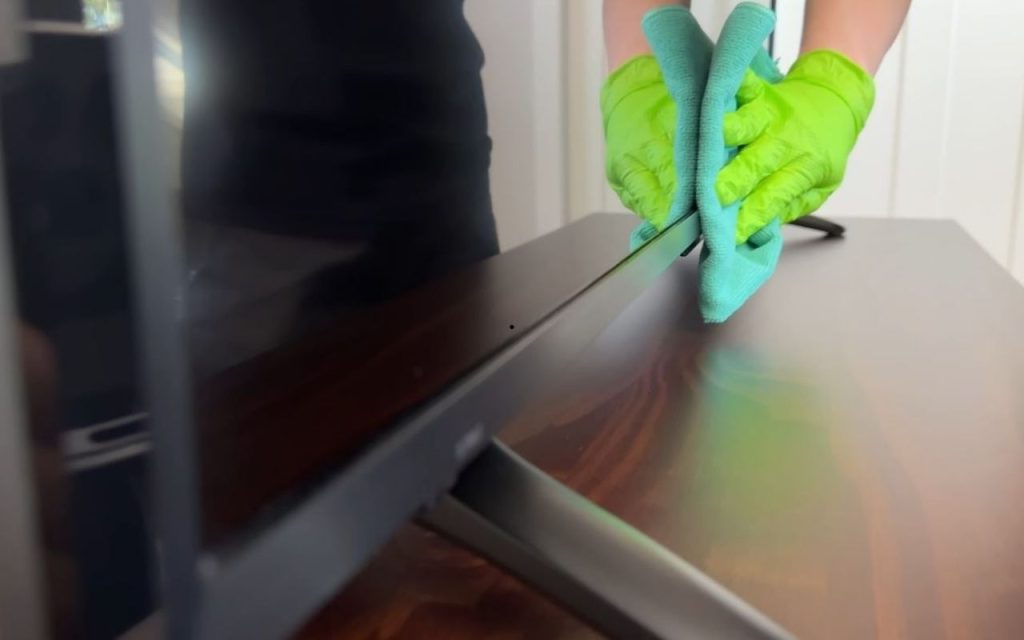
- Dampen the Cloth: Wet a microfiber towel with water. It is vital to ring it out thoroughly; the towel should be damp to the touch, not dripping. Excess water running down the screen can enter the device and cause internal damage.
- Wipe the Screen: Using light pressure, wipe the screen in an up-and-down motion, working your way across the surface. This method helps remove fingerprints and smudges effectively.
- Buff Dry: Immediately follow up with a clean, dry microfiber towel. Wipe using the same up-and-down motion to remove remaining moisture and buff the surface, ensuring no streaks are left behind.
4. Spot Cleaning for Grime (Optional)
If water alone does not remove specific grime or greasy spots, you can create a gentle cleaning solution.
- Mix the Solution: Combine approximately one cup of distilled water with a few drops of dish soap.
- Apply Carefully: Never spray the solution directly onto the TV. Instead, apply a few sprays to your microfiber towel.
- Spot Clean: Use the soapy towel to spot clean only the troublesome areas rather than the entire screen.
- Rinse and Dry: Once the spot is clean, wipe the area with a towel dampened only with plain water to rinse, then finish with a dry microfiber cloth.
Additional Tips and Warnings
- Avoid Paper Products: Never use paper towels or tissue paper on your screen. These materials can scratch the surface and often leave behind lint or residue, defeating the purpose of cleaning.
- Hard Water Warning: If your tap water is rich in minerals (hard water), use distilled water to prevent mineral deposits and issues with the screen.
- Avoid Pre-Moistened Wipes: Stay away from specialty screen cleaning wipes, as they often leave streaks and generally do not perform well.
- Watch the Pressure: Always use light pressure when wiping to avoid damaging the panel.